A while back, Simon was helping a friend settle on audio gear before diving into a new competitive gaming setup. The friend already owned a solid pair of stereo headphones and kept asking whether he really needed a dedicated gaming headset on top of that. It's a question that comes up all the time — and the answer is rarely cut and dried. If you're working through the gaming headset vs headphones debate yourself, you're in the right place. This guide is part of our broader buying guides collection, where we break down audio decisions so you can spend your money with confidence.
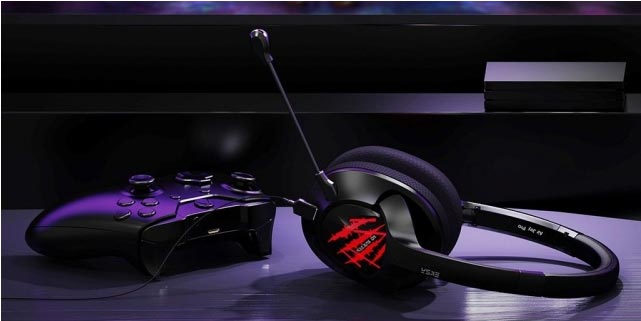
Gaming headsets and regular headphones may look like close relatives on the shelf, but they're engineered around very different priorities. A gaming headset is purpose-built for in-game communication and positional audio cues. A quality pair of headphones is optimized for accurate, natural sound reproduction across music, film, and audio content. Neither one holds a universal advantage — the right call depends entirely on what you need your gear to do.
If you've been going back and forth on this decision, this guide walks through the history and design logic behind each option, the key differences that actually matter, how to evaluate what suits your specific setup, and a few practical tips for getting the most out of whichever direction you go.
Contents
The Origins of Gaming Headsets — Why They Exist at All
From Early Peripherals to Purpose-Built Gaming Audio
Gaming headsets emerged as a distinct product category in the late 1990s and early 2000s, riding the wave of online multiplayer gaming. Early designs were straightforward — manufacturers took existing headphone architecture and bolted on a boom microphone so players could talk to teammates without setting up a separate desk mic. Communication was the whole point. Audio fidelity was an afterthought.
According to Wikipedia's history of headphones, consumer headphone technology has roots stretching back over a century, originally designed for telephone operators and radio listeners. Gaming headsets borrowed that foundation and adapted it for interactive, real-time use — where hearing a callout clearly can matter as much as hearing the game's soundtrack.
What "Gaming" Tuning Actually Means
Most gaming headsets are tuned with a V-shaped sound signature — elevated bass and treble with a slightly recessed midrange. The effect is intentional: explosions hit harder, footsteps sound sharper, and voice dialogue pops through the mix. It's designed to feel exciting and immersive rather than accurate.
Standard headphones, especially those aimed at audiophiles or studio use, target a flatter frequency response. What you hear more closely reflects what was actually recorded. For gaming, this neutral approach can work in your favor — subtle directional cues and spatial detail often come through more clearly on a well-tuned headphone than on a heavily colored gaming headset.
Gaming Headset vs Headphones — Breaking Down the Core Differences
Sound Quality and Frequency Response
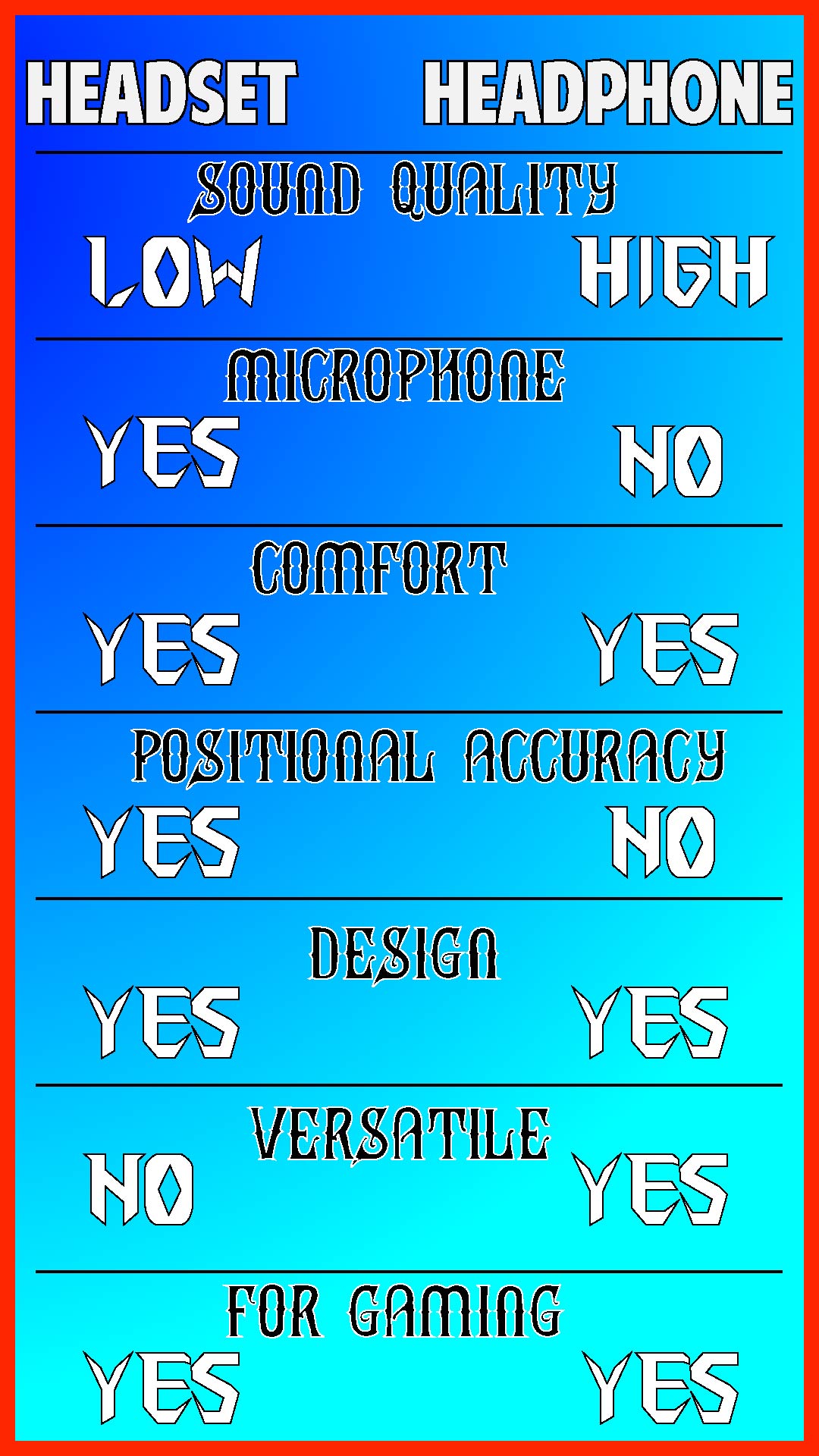
At lower price points, a similarly priced pair of stereo headphones will usually outperform a gaming headset on raw audio quality. Gaming headsets at the $50–$80 range often use cheaper drivers with artificial bass emphasis to compensate. A headphone in that bracket tends to produce a cleaner, more detailed sound.
The gap narrows significantly as you move up in price. Higher-end gaming headsets — like the ones covered in our Sennheiser Game Zero review — feature competitive driver quality and more balanced tuning. At $150 and above, both categories offer genuinely capable audio performance, and your decision starts to hinge on other factors.
Microphones and In-Game Communication
This is the most practical advantage gaming headsets hold over regular headphones. Every gaming headset ships with a built-in boom mic or retractable microphone optimized for close-range voice pickup. You plug in, adjust the mic position, and you're ready to communicate — no additional hardware required.
Regular headphones don't include a microphone by default. If you want voice chat capability, you need a separate solution. Our guide on how to use headphones as a mic on PC covers several workarounds, but for plug-and-play simplicity, a dedicated gaming headset has a clear edge here.
Comfort, Clamping Force, and Build Quality
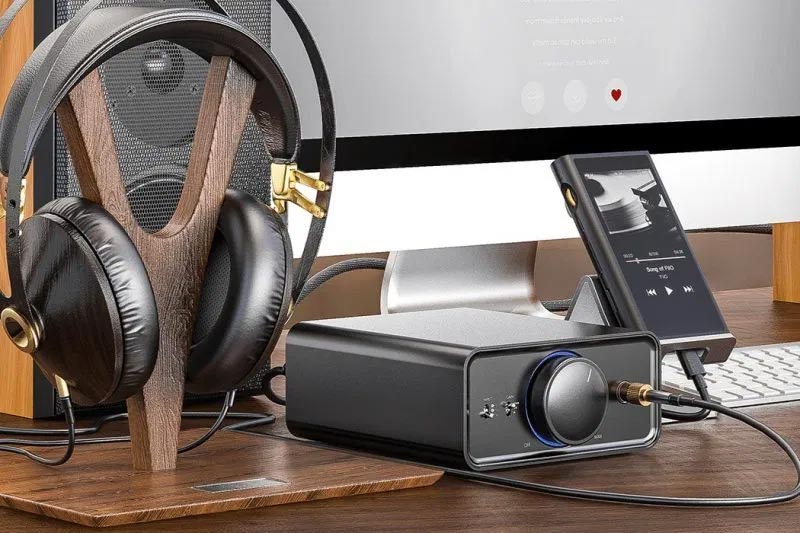
Gaming headsets are typically designed with long sessions in mind — softer earpads, lighter clamping force, and wider headbands to reduce fatigue over hours of play. Studio-oriented headphones sometimes apply more clamping pressure for acoustic isolation, which can become uncomfortable during extended wear.
Build quality varies on both sides depending on price. Budget gaming headsets lean heavily on plastic. Higher-end headphones tend to incorporate aluminum or stainless steel headbands and more durable hinges. Neither category monopolizes durability — you get what you pay for in both.
| Feature | Gaming Headset | Regular Headphones |
|---|---|---|
| Built-in microphone | Yes — boom or retractable | Rarely; some inline mics |
| Sound signature | V-shaped (bass and treble boosted) | Neutral to flat |
| Virtual surround sound | Often included via software | Rarely native; software-based |
| Price range | $30–$350+ | $30–$1,000+ |
| Primary use case | Gaming and team communication | Music, studio, general listening |
| Driver quality at budget tier | Lower average | Higher average |
| Additional hardware needed | Typically none | DAC/amp recommended for high-impedance models |
How to Decide Which Is Right for Your Setup
Questions to Ask Before You Buy
Before settling on either option, get specific about how you actually use audio gear. A few questions worth thinking through:
- Do you play multiplayer games where voice communication is essential?
- Do you also use your headgear for music, podcasts, or watching films?
- Are you working with a tight budget, or can you invest in a headphone-plus-mic combo?
- Do you game at a fixed desk, or do you move around and value wireless freedom?
- Is positional audio — knowing where sounds come from — a priority for the games you play?
If voice chat is central to your gaming experience and convenience matters more than audio fidelity, a dedicated gaming headset is the straightforward answer. If you care about sound quality across gaming and other media — and don't mind a two-piece setup — quality headphones with a standalone mic will likely serve you better over time.
Testing and Evaluating Audio Gear
When you can, test gear in person before buying. Even a short listening session reveals a lot about comfort, clamping pressure, and tonal character. When evaluating, pay attention to:
- Clarity in the midrange — this is where voices, instrument detail, and in-game audio cues live
- Bass depth without muddiness — punchy is good, bloated is not
- How the earpads feel after fifteen minutes of wear
- Microphone pickup quality, if you're testing a gaming headset
When shopping online, look for published frequency response graphs — flatter curves generally indicate more neutral, accurate reproduction. If you're considering an open-back design for gaming, our roundup of the best open-back headphones for gaming covers the key options and explains why many competitive players prefer open-backs for their wider soundstage.
Practical Tips to Get the Most From Either Choice
Pairing Headphones with a Standalone Mic
If you've landed on headphones for the audio quality and want to bridge the communication gap, a USB condenser microphone under $100 delivers voice quality that blows most gaming headset boom mics out of the water. The Audio-Technica ATH-AD700X is a popular example in the audiophile-gaming overlap — its naturally wide soundstage makes positional audio impressively accurate, and it pairs cleanly with any USB mic you pick up separately.
The tradeoff is desk real estate and cable management. You're running two pieces of hardware instead of one. Whether that trade is worth it depends on how much you value audio quality versus simplicity.
EQ Settings and Companion Software
Most gaming headsets ship with proprietary companion software that includes EQ presets. If your headset's default tuning sounds too bass-heavy or harsh, look for a "flat," "music," or "studio" preset — these often reveal mid-range detail that the default gaming profile masks. You can also tune manually if the software allows it.
For headphones on PC, free tools like Equalizer APO let you apply parametric EQ curves and even match published target curves from the audio community. If you're dealing with interference or crackling issues while getting things dialed in, our guide on how to remove static noise from headphones walks through the most common causes and fixes across platforms.
Quick tip: If your gaming headset sounds muddy or congested, try pulling the bass shelf down by 3–4 dB in your EQ software — it often reveals midrange detail that was being buried under the default boost.
Gear That Pairs Well With Your Audio Setup
DACs, Amplifiers, and USB Sound Cards
Many quality headphones — especially higher-impedance models favored by audiophile gamers — don't reach their potential when plugged directly into a motherboard's 3.5mm jack. Onboard audio is functional but noisy. A dedicated DAC (digital-to-analog converter) or headphone amplifier delivers a cleaner signal, better channel separation, and more dynamic range.
Gaming headsets with USB connectivity typically have a built-in DAC already. That's one reason USB headsets tend to sound more consistent across systems than 3.5mm models — they bypass the onboard audio entirely. If you're investing in a quality headphone for gaming, budget $50–$100 for even a basic external DAC and the difference is usually noticeable.
Standalone Microphones and Boom Arms
If you go the headphone-plus-mic route, a basic boom arm and shock mount will significantly reduce desk rumble and keyboard noise picked up by the microphone. Entry-level setups are widely available and affordable. For setups where ambient room noise is a persistent issue, our guide to the best ANC gaming headsets is worth a look — active noise cancellation built into the headset itself is a genuine advantage in loud or shared spaces, and it's one area where a purpose-built gaming headset clearly outperforms most headphone setups.
Frequently Asked Questions
Is a gaming headset better than headphones for gaming?
It depends on your priorities. Gaming headsets offer built-in microphones and convenient plug-and-play communication. Headphones generally deliver better sound fidelity at a comparable price. If voice chat is essential, a gaming headset is the practical choice. If audio quality across gaming and other media matters more, headphones with a separate mic often win out.
Can I use regular headphones for gaming?
Absolutely. Regular headphones work well for gaming, especially open-back models that produce a wide soundstage useful for directional audio. The main thing you'll need to address is communication — you'll want a standalone microphone for voice chat if your headphones don't include an inline mic.
Do gaming headsets have worse sound quality than headphones?
At lower price points, generally yes. Budget gaming headsets often use cheaper drivers and add artificial bass emphasis. At the same price, a pair of stereo headphones typically offers more accurate audio reproduction. That gap narrows considerably in the $150+ range, where higher-end gaming headsets become genuinely competitive.
What is a V-shaped sound signature?
A V-shaped sound signature refers to an audio tuning where bass and treble frequencies are boosted while the midrange is slightly recessed. When plotted on a frequency response graph, it forms a shape resembling the letter V. Most gaming headsets use this tuning to make game audio feel impactful and immersive.
Do I need a DAC or amplifier for gaming with headphones?
Not always, but it often helps. Higher-impedance headphones benefit noticeably from a dedicated DAC or headphone amp, delivering a cleaner signal than most motherboard audio jacks provide. If you're using a standard pair of consumer headphones under 80 ohms, onboard audio is usually sufficient to start.
Are open-back headphones good for gaming?
Yes — many competitive gamers prefer open-back headphones specifically for gaming because they produce a wider, more natural soundstage that makes positional audio easier to interpret. The tradeoff is that open-back designs leak sound in both directions, so they're not ideal in shared spaces or noisy environments.
Can gaming headsets be used for music listening?
Yes, though the V-shaped tuning common in gaming headsets isn't ideal for accurate music reproduction. Bass-heavy mixes can sound muddied, and instruments in the midrange may lack presence. If you regularly listen to music, a more neutrally tuned headphone will give you a more satisfying experience across genres.
Final Thoughts
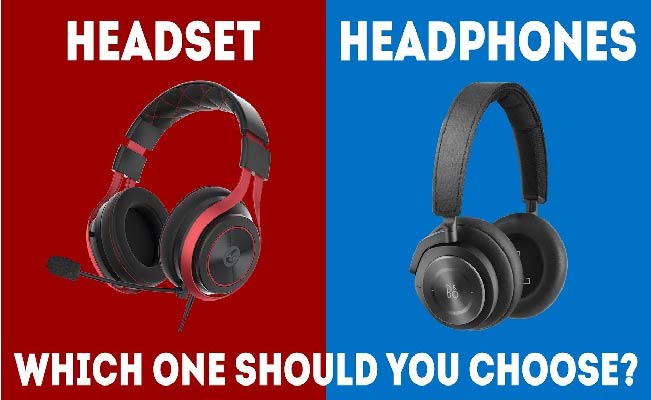
The gaming headset vs headphones debate doesn't have a single right answer — it has a right answer for your specific situation. If you play multiplayer games where clear communication is non-negotiable and you want one device that covers everything, a quality gaming headset is the practical, convenient choice. If you care about sound fidelity across gaming, music, and other media and don't mind pairing a headphone with a standalone mic, that route will likely deliver more long-term satisfaction. Browse our buying guides to explore specific recommendations in both categories, pick the direction that fits your setup, and start listening — your ears will tell you the rest.


About Simon B.
Simon here is an audiophile that loves to try out new audio equipment and loves to listen to different genres of music. Being an active student of Audio Electronics, He is more than capable of discussing different elements of headphones. A Powerful Music Can Change The Tone Of Your Heart, That Is The Real Power Of Music.
Get FREE Headset Gifts now. Or latest free Music Guide from our best collections.
Disable Ad block to get all the secrets. Once done, hit any button below