Last year, I spent a solid twenty minutes with two browser tabs open, paralyzed between two headsets before a late-night session. Same price range, both well-reviewed, both staring back at me. I eventually flipped a coin. If you're doing the same kind of mental gymnastics over the JBL Quantum 400 vs HyperX Cloud 2, this breakdown will make that decision a lot easier. Both are popular picks across our gaming headset reviews, and both have loyal users for good reason — but they suit different types of gamers.
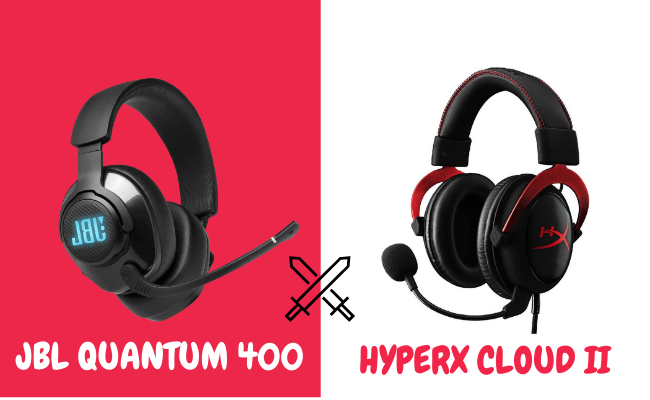
Both headsets are wired, over-ear, and built for PC gaming in the mid-range price bracket. But they take different approaches. The Quantum 400 leans into software control and virtual surround sound. The Cloud 2 leans into versatility, build quality, and reliable audio that works across platforms without any app required. Knowing which approach fits your habits is the key to making the right call.
Before diving into the details, it's worth asking whether a gaming headset is even the right choice for you. If you're unsure, our guide on gaming headsets vs regular headphones lays out the core trade-offs clearly. For this comparison, we're assuming you want a dedicated gaming headset — so let's get into it.
Contents
Who Should Choose Which
Both headsets are solid at their price point. But they're not designed for the same person. Your platform, your gaming style, and how much you value software customization all matter. Matching the headset to your actual setup is more important than picking the "objectively better" option.
The JBL Quantum 400 Player Profile
The Quantum 400 is built for PC gamers who want hands-on audio control. It connects via USB and works with JBL's QuantumEngine desktop app. That app lets you adjust EQ settings, toggle DTS Headphone:X 2.0 surround sound, and configure mic monitoring. If you play competitive titles where directional audio gives you an edge, the Quantum 400 was designed with you in mind. Games where enemy movement and footstep detection matter — like Rainbow Six Siege — benefit most from the surround processing. Take a look at our roundup of the best headsets for Rainbow Six Siege to see how the Quantum 400 compares to other competitive-focused options.
The downside is that the USB-A connection makes it a PC-first headset. Console use is limited, and the QuantumEngine software is Windows-only. If you play on multiple platforms, that's a real constraint worth considering.
The HyperX Cloud 2 Player Profile
The HyperX Cloud 2 is for the gamer who wants something that just works — everywhere. It comes with both a USB sound card adapter and a 3.5mm cable. That means it's compatible with PC, PS4, Xbox One, Nintendo Switch, and mobile. If you switch between platforms regularly, the Cloud 2 is the more practical choice. It's also a consistent recommendation in roundups covering the best gaming headsets under $150, and it holds its own against newer competition year after year. The Cloud 2 doesn't require any software and delivers solid performance right out of the box.
Side-by-Side Specs: How They Stack Up
On paper, the JBL Quantum 400 vs HyperX Cloud 2 are close competitors. But a few key differences in the spec sheet hint at where each headset excels.
Full Specs Comparison
| Feature | JBL Quantum 400 | HyperX Cloud 2 |
|---|---|---|
| Driver Size | 50mm | 53mm |
| Frequency Response | 20Hz – 20kHz | 15Hz – 25kHz |
| Impedance | 32 Ohm | 60 Ohm |
| Connection | USB-A (primary) | USB + 3.5mm dual option |
| Surround Sound | DTS Headphone:X 2.0 | 7.1 Virtual (USB only) |
| Microphone Type | Retractable, built-in | Detachable, noise-cancelling |
| Weight | 273g | 336g |
| Platform Compatibility | PC (primary) | PC, PS4, Xbox, Switch, Mobile |
| Software App | JBL QuantumEngine | None required |
The Cloud 2's larger 53mm drivers and wider frequency range — extending down to 15Hz and up to 25kHz — suggest it can reproduce more audio detail at the extremes. The higher 60 Ohm impedance means it needs more power to drive, which is why the USB sound card adapter it ships with is important. Impedance in headphones directly affects how much amplification you need to reach optimal volume and clarity.
Build and Design
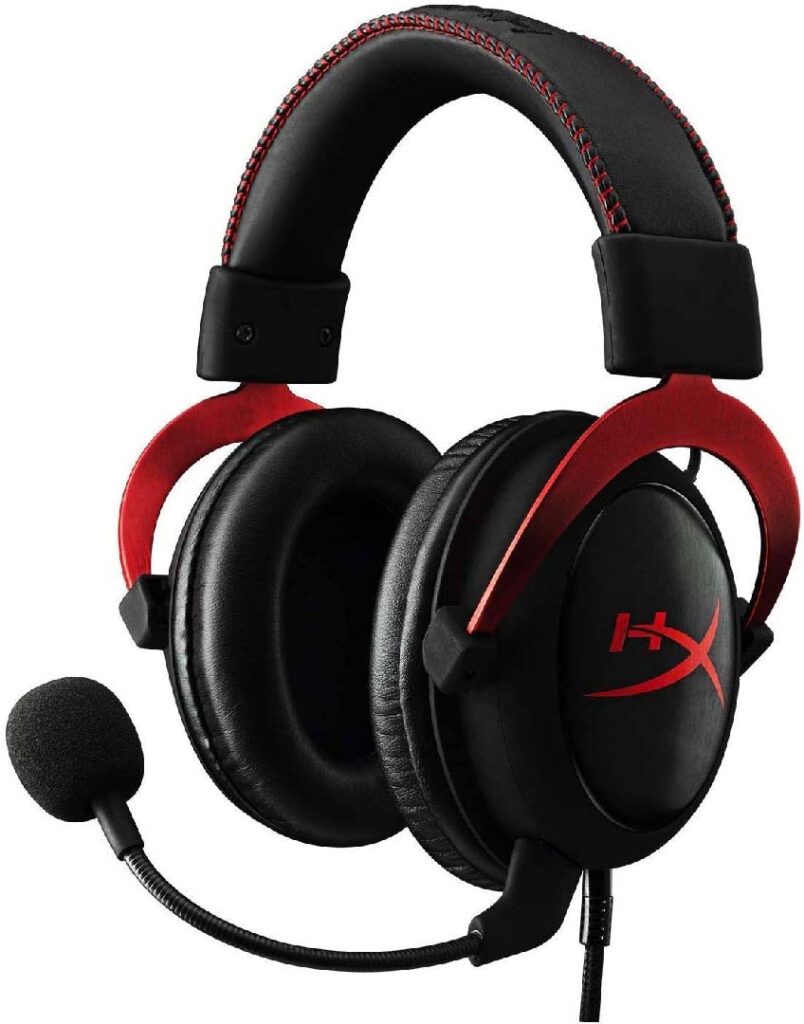
The HyperX Cloud 2 uses a steel frame with leatherette ear cushions and a padded headband. It feels sturdy and premium for the price. At 336g it's noticeably heavier than the Quantum 400, but the weight is distributed evenly so it doesn't feel unbalanced. The overall aesthetic is understated — it doesn't scream "gamer peripheral," which makes it a good option if you also wear it outside the gaming chair.
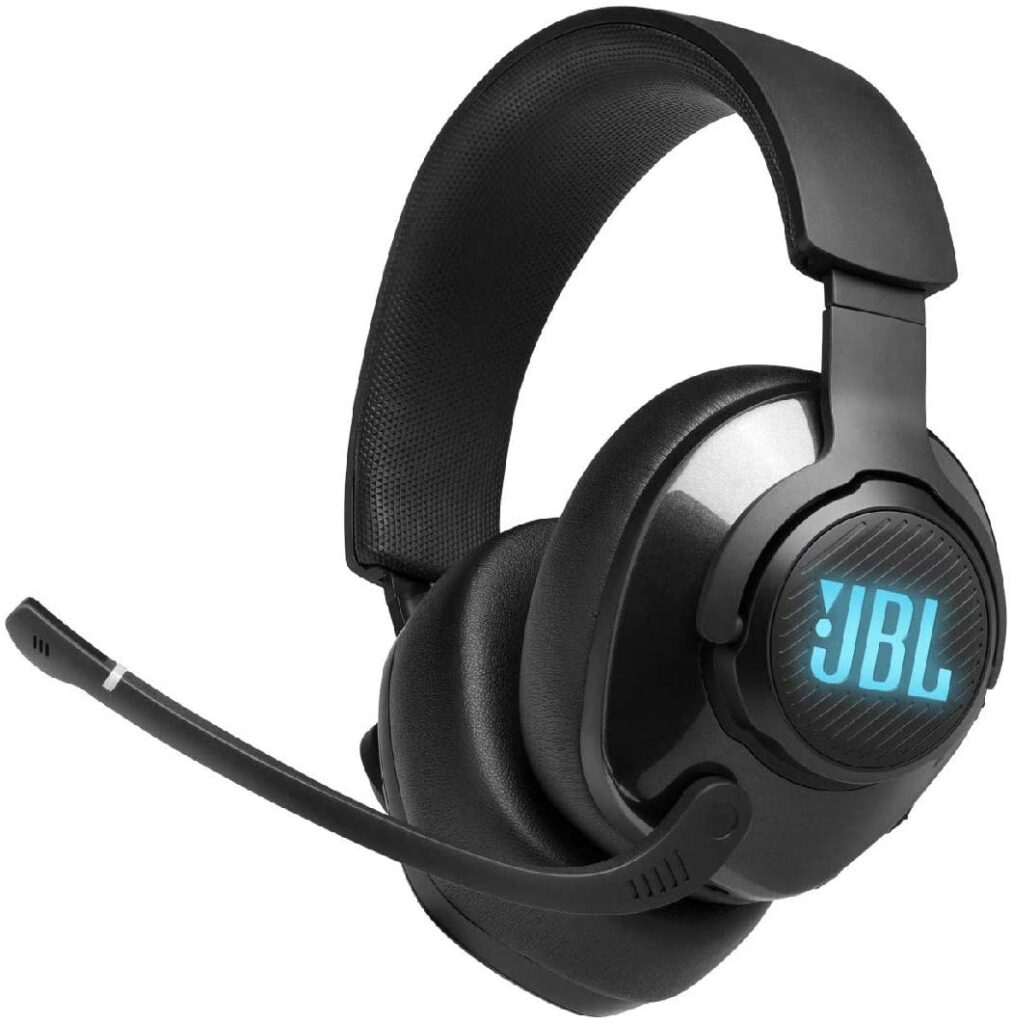
The JBL Quantum 400 is lighter at 273g and comes with memory foam ear cushions wrapped in leatherette. The design is more angular with RGB lighting on the earcups — it reads as a gaming headset immediately. Both headsets feel well-built for their price range, but the Cloud 2's steel frame gives it a slight edge in long-term durability.
How They Perform in Real Gaming Sessions
Sound Quality in Action
The HyperX Cloud 2 has a warm, bass-forward sound profile. It works well for story-driven games, shooters, and anything with a cinematic soundtrack. The soundstage feels wide and natural. Footsteps, ambient sounds, and distant gunfire come through clearly. If you also use the headset for music or movies when you're not gaming, this signature translates well across content types.
The JBL Quantum 400 delivers a slightly more neutral base sound, with enhanced bass when the DTS surround mode is active. Through the QuantumEngine app, you can adjust EQ curves to suit specific game genres. Competitive players often boost the mid-range frequencies where movement cues tend to live. The virtual surround processing is more aggressive than the Cloud 2's 7.1 mode — helpful in large open-world environments, but occasionally too processed for games mixed in stereo. If you're exploring headsets that prioritize focused, distraction-free sound, our roundup of the best ANC headsets for gaming highlights some useful alternatives in this tier.
Microphone Performance
The HyperX Cloud 2 includes a detachable noise-cancelling microphone that performs consistently above average for the price. Background noise — keyboard clicks, fans, ambient room sound — gets filtered reasonably well. It works without any software configuration. For the majority of gamers, the Cloud 2 mic delivers exactly what you need for voice chat and casual streaming.
The JBL Quantum 400 uses a retractable mic that tucks neatly into the left earcup when not in use. It's convenient, but audio quality is a step behind the Cloud 2. In a quiet room it performs fine, but in noisier environments it picks up more background noise. If you stream or need particularly clean audio, the Cloud 2 has a clear advantage in this category.
Common Issues and How to Fix Them
Both headsets are reliable day-to-day, but knowing the common failure points ahead of time saves you frustration later. Most reported issues have simple solutions.
Audio Problems
The most frequent complaint with the JBL Quantum 400 is the QuantumEngine software failing to recognize the headset after a Windows update. The fix is usually straightforward: unplug the USB, close the software fully, restart it, then reconnect. In persistent cases, a clean reinstall of the app resolves it. If you're experiencing crackling or static on either headset, our detailed guide on removing static noise from headphones covers platform-specific fixes that apply to USB audio devices too.
The HyperX Cloud 2 is less software-dependent, which makes it more stable overall. One occasional issue is volume inconsistency when using the USB sound card adapter through a USB hub. Always plug directly into a motherboard USB port before assuming the hardware itself is at fault — this resolves the problem in the vast majority of cases.
Mic and Connection Issues
Cloud 2 users sometimes report low microphone volume in Discord or in-game voice chat. The solution is to open Windows Sound settings, find the HyperX input device, and manually raise the microphone level. Disabling Windows microphone enhancements can also help, as they sometimes conflict with the USB sound card's own processing.
For the Quantum 400, if the retractable mic isn't detected by the QuantumEngine app, try toggling the physical mute button — this often resets the detection state. Also confirm that the headset is set as the default communication device in Windows Sound settings, not just the default playback device. These are two separate settings and both need to point to the Quantum 400 for mic and audio to work correctly together.
Getting the Most from Your Headset
Out of the box, both headsets are ready to use. A few targeted adjustments, though, make a meaningful difference in how they feel over the long haul.
Software and EQ Settings
If you own the Quantum 400, take time to explore the QuantumEngine app. DTS Headphone:X 2.0 delivers its best results in open-world and story games where spatial depth adds to immersion. For competitive play, consider disabling surround sound entirely and using a flat EQ — this gives you a cleaner stereo image better suited for precise enemy localization. The app's "game" preset is a reasonable starting point if you'd rather not tune manually.
The Cloud 2 has no companion app, but Windows' built-in equalizer or free tools like Equalizer APO work well. A small cut around 200–300Hz tightens up the low-mids, and a gentle boost near 3kHz brings out voice clarity in chat. These tweaks also make the headset more enjoyable for music. The Sennheiser Game Zero is another headset in this range that handles EQ tuning differently — worth looking at if you're still comparing options before committing.
Long-Session Comfort Tips
The Cloud 2's leatherette ear cushions can cause ear fatigue during extended sessions, particularly in warm rooms. HyperX sells a velour replacement set that dramatically improves breathability. If you regularly game for three or more hours, that upgrade is worth factoring into the overall cost early. The best gaming headphones under $100 all share this trade-off between leatherette isolation and long-term comfort — velour pads are a common fix across the category.
The Quantum 400's memory foam cushions are more breathable by default, and the lighter weight helps with extended wear. The clamping force is slightly firmer than the Cloud 2 out of the box. If it feels tight at first, gently stretching the headband over a stack of books overnight loosens the fit without damaging the frame — a reliable trick that works across most headsets with adjustable steel bands.
Frequently Asked Questions
Is the JBL Quantum 400 better than the HyperX Cloud 2?
Neither is universally better. The JBL Quantum 400 has an advantage in software features and virtual surround sound for dedicated PC gamers. The HyperX Cloud 2 edges ahead in platform versatility, build durability, and detachable mic quality. The better choice depends on your platform and how much you value software customization.
Can the HyperX Cloud 2 be used on consoles?
Yes. The HyperX Cloud 2 works on PS4, Xbox One, Nintendo Switch, and mobile via its 3.5mm cable. The USB sound card adapter is primarily for PC use. This cross-platform compatibility is one of the Cloud 2's strongest selling points compared to the Quantum 400.
Does the JBL Quantum 400 work on PS5 or Xbox Series X?
The Quantum 400 connects primarily via USB-A and its QuantumEngine software is Windows-only. It will function as a basic audio device on PS5 via USB, but surround sound and EQ customization won't be available on console. For cross-platform setups, the HyperX Cloud 2 is the more practical option.
Which headset is more comfortable for marathon gaming sessions?
The JBL Quantum 400 has the comfort edge out of the box — lighter weight and memory foam cushions make a difference over long sessions. The HyperX Cloud 2 catches up significantly if you swap the stock leatherette ear pads for HyperX's optional velour set, which reduces heat buildup considerably.
How does the microphone quality compare between the two?
The HyperX Cloud 2's detachable noise-cancelling microphone outperforms the Quantum 400's retractable built-in mic in most real-world conditions. Voice reproduction is cleaner and more natural, with better rejection of background noise. For voice chat, streaming, or any situation where mic quality matters, the Cloud 2 is the stronger choice.
Final Thoughts
The JBL Quantum 400 vs HyperX Cloud 2 comes down to one simple question: do you want software-driven audio customization on PC, or do you want a versatile, no-fuss headset that works across every platform you own? Pick the Quantum 400 if you're a PC-primary gamer who will use the QuantumEngine app regularly. Pick the Cloud 2 if you value flexibility, build quality, and a better out-of-the-box mic. Head over to our full gaming headset reviews to compare both against the broader field and find the exact model that fits your setup and budget.


About Simon B.
Simon here is an audiophile that loves to try out new audio equipment and loves to listen to different genres of music. Being an active student of Audio Electronics, He is more than capable of discussing different elements of headphones. A Powerful Music Can Change The Tone Of Your Heart, That Is The Real Power Of Music.
Get FREE Headset Gifts now. Or latest free Music Guide from our best collections.
Disable Ad block to get all the secrets. Once done, hit any button below