Which gaming headset under $50 actually sounds good — and which ones are just cheap plastic with a mic slapped on? That's the question every budget gamer asks before handing over their cash. After testing across PC, PS5, and Xbox in 2026, the HyperX Cloud Stinger 2 is the clear winner for most people: excellent sound, feather-light build, and spatial audio that punches way above its price tag.
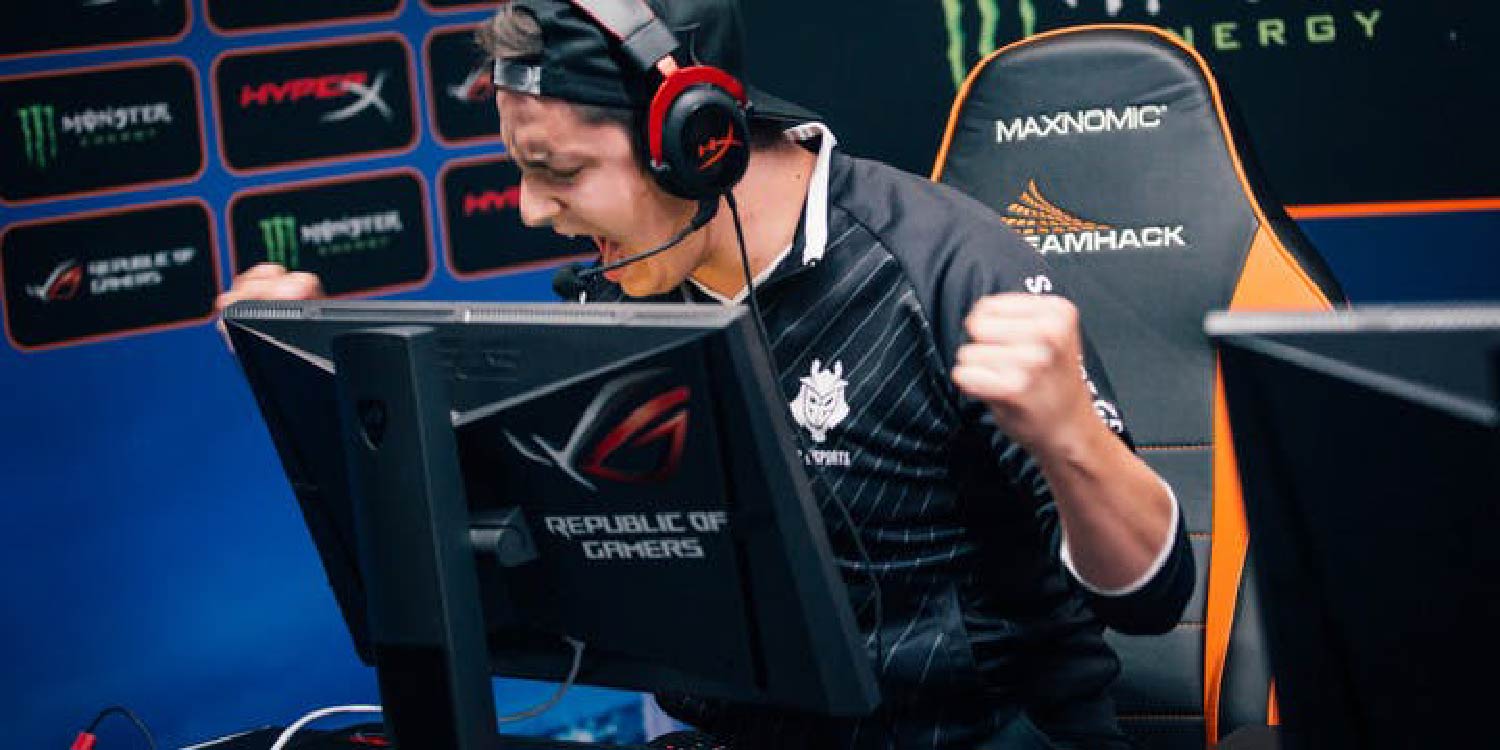
But the Stinger 2 isn't right for everyone. If you game across multiple platforms, the Turtle Beach Recon 70 is worth a hard look. If mic quality matters more than anything else, the SteelSeries Arctis 1 is a better choice. And if you want the richest audio experience this budget can buy, the Razer BlackShark V2 X delivers. You can browse all of our tested picks in our headphone reviews section — but right here, we've narrowed it down to seven headsets that are genuinely worth your money in 2026. No filler, no paid placements. Just honest takes.
The sub-$50 headset market has improved dramatically over the last few years. Brands like HyperX, Razer, and SteelSeries have pushed quality down into the budget tier — you no longer have to spend $100+ to get usable surround sound (software-simulated spatial audio that makes footsteps and gunfire feel directional) or a decent microphone. If you're curious about how gaming headsets compare to regular headphones for this kind of use, that's worth a read before you decide. For now, here's what we found after putting all seven through their paces.
Contents
Best Choices for 2026
- #PreviewProductRating
- Bestseller No. 1
 Rating:

- Bestseller No. 2
 Rating:
 - Bestseller No. 3
 Rating:
 - Bestseller No. 4
 Rating:
 - Bestseller No. 5
 Rating:
 - Bestseller No. 6
 Rating:
 - Bestseller No. 7
 Rating:
Product Reviews
1. HyperX Cloud Stinger 2 — Best Overall Under $50
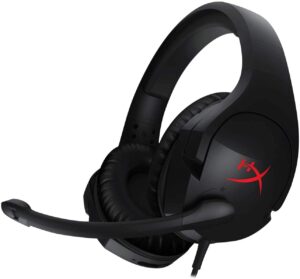
The HyperX Cloud Stinger 2 is the headset to beat at this price point in 2026. It weighs just 275 grams — noticeably lighter than most competitors — and the over-ear design with angled 50mm drivers positions sound exactly where it needs to be. DTS Headphone:X spatial audio is the headline feature here, and on PC it genuinely works: footsteps feel directional, explosions have weight, and dialogue comes through clean. For competitive gaming in particular, that positional awareness is a real advantage.
Build quality is better than the price suggests. The steel slider adjusts smoothly and holds its position. The swivel-to-mute mic (rotate it up to mute, down to unmute) is one of the best quick-mute implementations at any price — no fumbling for a button mid-game. The earcups are soft and don't create heat buildup during long sessions. Sound signature leans slightly warm, which suits most gaming genres well. It connects via USB-A for PC with the full spatial audio experience, or 3.5mm for consoles.
The only real limitations: the microphone is fixed (not detachable), and surround sound requires Windows software on PC — it won't work on console. But for PC gamers who want the best possible audio performance under $50, this is the one to get. It also compares well against pricier options — if you want to see how it stacks up, check our best gaming headphones under $100 roundup where the Stinger 2 still holds its own against more expensive competitors.
Pros:
- Lightweight over-ear design — won't fatigue your neck during long sessions
- DTS Headphone:X spatial audio for genuine positional sound on PC
- Swivel-to-mute mic is fast and intuitive
- 50mm angled drivers produce a wide, detailed soundstage
- HyperX signature comfort — memory foam-style padding on earcups
Cons:
- Microphone is fixed, not detachable
- Spatial audio only works via PC software — not on console
- Plastic construction feels light (though that's also what makes it comfortable)
2. Razer BlackShark V2 X — Best Audio Quality
If pure audio fidelity is your top priority, the Razer BlackShark V2 X is the best sounding headset on this list. The TriForce Titanium 50mm drivers are genuinely impressive — Razer splits each driver into three zones that individually tune highs, mids, and lows, so you get crisper highs and more powerful bass than a standard single-diaphragm driver. The titanium-coated diaphragm adds a layer of clarity to everything from in-game audio to music. For competitive shooters where audio cues matter, this headset gives you a real edge.
Passive noise cancellation (blocking outside sound through physical earcup design, not electronics) is another standout. The closed earcups create a tight seal that shuts out ambient noise effectively. Memory foam cushions with a breathable fabric cover keep things comfortable for 3-4 hour sessions. The 7.1 virtual surround sound works well on Windows 10 64-bit via Razer Synapse software. On console you get stereo only, but it's still excellent stereo.
The mic is a cardioid (picks up sound from one direction, rejects background noise) design that performs well for voice chat — clear pickup, minimal room echo. If you've been reading our Razer Kraken X review, you'll know Razer does budget headsets well, and the BlackShark V2 X takes it a step further in sound quality.
Pros:
- TriForce Titanium drivers — best sound signature on this list
- Strong passive noise cancellation through sealed earcups
- Memory foam cushions with breathable fabric — comfortable for long sessions
- 7.1 virtual surround on PC via Razer Synapse software
- Lightweight at 262 grams
Cons:
- 7.1 surround only works on Windows 10 64-bit
- No in-line volume control — adjust volume via PC software or system settings
- Mic is not detachable
3. ASTRO Gaming A10 — Best Build Quality
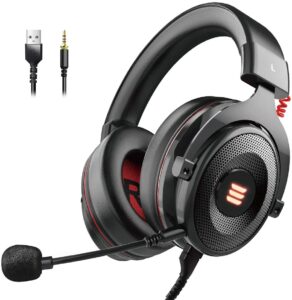
The ASTRO A10 is built to survive abuse. Anodized aluminum headband wrapped in polycarbonate (a tough engineering plastic used in safety equipment) means this headset won't crack if you set it down hard or toss it in a bag. ASTRO designed it specifically to handle wins, losses, and everything in between — and the build quality genuinely reflects that. If you're the type to be rough on your gear, or if you're buying for a younger gamer, the A10 is the most durable pick on this list.
Comfort is a priority here too. Extended memory foam ear cushions are noticeably softer than the competition — you can wear this for 5-6 hours without the ear fatigue that cheaper foam causes. The omnidirectional mic (picks up sound from all directions) with flip-up mute is practical and reliable. In-line volume control sits on the cable for quick adjustments without reaching for your PC. Sound quality is solid — not as detailed as the BlackShark V2 X, but warm and full with good low-end presence.
The A10 connects via 3.5mm only, which makes it universally compatible: Xbox Series X|S, Xbox One, PS5, PS4, Nintendo Switch, PC, Mac — it works everywhere without adapters. The trade-off is no USB-based spatial audio. What you get is a clean, reliable stereo experience that will last for years.
Pros:
- Damage-resistant polycarbonate and anodized aluminum construction — built to last
- Extended memory foam ear cushions — some of the most comfortable on this list
- Universal 3.5mm works on every platform with no adapters
- In-line volume control for quick adjustments
- Flip-up mute on omnidirectional mic is reliable
Cons:
- No virtual surround sound — stereo only
- Sound signature is warm but lacks the detail of the BlackShark V2 X
- Design is minimal — no RGB or visual flair
4. Logitech G432 — Best Surround Sound System
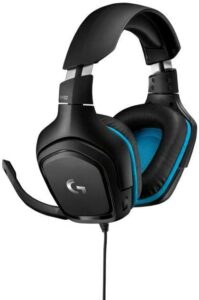
The Logitech G432 pushes the hardest on surround sound at this price. It runs DTS Headphone:X 2.0 — that's the second generation of DTS's spatial audio system, which creates a more precise 3D soundscape than the standard version. Large 50mm audio drivers handle the frequency range from 20Hz to 20kHz cleanly, meaning you hear both the rumble of distant explosions and the crack of close-range gunfire without distortion. For immersive single-player games like open-world RPGs or horror titles, the G432's surround system makes a genuine difference.
The leatherette (faux leather) ear cushions feel premium and create a solid seal that enhances bass response. They can run warm during extended sessions — that's the trade-off with leatherette. The headband has a generous amount of padding and the build quality is solid for the price point. Flip-to-mute on the mic works reliably, and the mic itself picks up voice clearly without too much room noise.
This headset is primarily a PC headset — the DTS Headphone:X 2.0 runs through G Hub software on Windows. Console use via 3.5mm works fine in stereo, but you're paying for surround features you won't use on PS5 or Xbox. For PC gamers who want the deepest virtual surround experience under $50, the G432 is your pick.
Pros:
- DTS Headphone:X 2.0 — the most capable virtual surround system on this list
- Large 50mm drivers with a full 20Hz–20kHz frequency response
- Leatherette ear cushions create a sealed, bass-boosting fit
- Flip-to-mute mic that performs well for voice chat
- Solid, premium-feeling build for the price
Cons:
- Leatherette cushions run warm — not ideal for hot climates or marathon sessions
- DTS surround only works on PC via G Hub software
- Slightly bulkier than competitors — not as portable
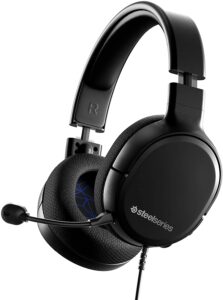
5. SteelSeries Arctis 1 — Best Microphone Quality
The SteelSeries Arctis 1 does something no other headset on this list does: it ships with a detachable ClearCast microphone that's actually certified by Discord (meaning Discord has verified it meets professional-grade clarity standards). The ClearCast mic uses a bidirectional design (picks up sound in front and behind the mic capsule, cancels sound from the sides) that eliminates background noise more effectively than the fixed mics on competing headsets. If you stream, do voice chat, or play team-based games where communication matters, the Arctis 1 mic is a clear step above this price range.
Sound quality follows SteelSeries's signature approach — emphasizing subtle, critical sounds like footsteps, reloads, and ambient audio cues that give you a competitive edge. The steel-reinforced headband (hence the brand name) is flexible but doesn't flex so much it feels flimsy. It's designed for Xbox Series X|S natively but connects to every platform via 3.5mm. Universal compatibility is genuine: PS5, PS4, Nintendo Switch, and mobile all work without dongles or adapters.
The Arctis 1 is the thinnest and most minimal-looking headset here. If you prefer clean, understated design over gamer aesthetics, this is the one. The mic detaches completely when not needed — useful for music listening when you don't want a boom arm in your face.
Pros:
- Detachable ClearCast mic — Discord-certified, best mic on this list
- Works on every platform via 3.5mm — no adapters needed
- Steel-reinforced headband that flexes without feeling fragile
- Clean, minimal design — not over-the-top gamer aesthetic
- Competitive sound tuning emphasizes critical in-game audio cues
Cons:
- No virtual surround sound feature
- On-ear fit (sits on top of ears rather than around them) — not ideal for everyone
- Less bass presence than over-ear competitors
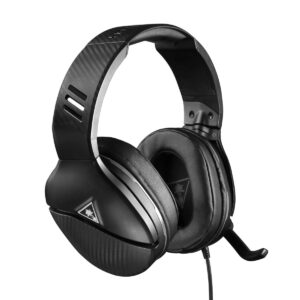
6. Turtle Beach Recon 70 — Best for Multiplatform Gamers
If you jump between PS5, Xbox, PC, and mobile, the Turtle Beach Recon 70 is the most hassle-free pick. A single 3.5mm connection works on every platform with no setup, no software, no dongles. Turtle Beach has been making gaming headsets since 2005 and the Recon 70 reflects that experience — it's a refined, reliable entry-level headset that does everything right without trying to do too much. The 40mm speakers are tuned for gaming audio with a clear mid-range that makes voice communication easy to follow.
On-ear volume control is a standout quality-of-life feature. The dial sits on the left earcup and lets you adjust volume instantly without reaching for your controller or PC. Flip-to-mute on the mic is physical and reliable — you'll never accidentally mute during a crucial callout. The headset is lightweight enough that you can wear it for a 3-4 hour session without discomfort.
The trade-off is audio ceiling. The 40mm drivers (smaller than the 50mm drivers on most competitors) produce less bass extension and slightly narrower soundstage. For casual gaming and voice chat, you won't notice. For competitive audio work — identifying precise footstep directions — you'll eventually want to step up. But as a first headset or a secondary headset for couch gaming, the Recon 70 delivers solid value.
Pros:
- Works on PS5, PS4, Xbox Series X|S, Xbox One, PC, and mobile — no adapters
- On-ear volume dial is a genuine quality-of-life upgrade
- Flip-to-mute mic is physical and reliable
- Lightweight build — comfortable for long sessions
- Solid brand reliability — Turtle Beach has been doing this for 20+ years
Cons:
- 40mm drivers produce less bass and soundstage than 50mm competitors
- No virtual surround sound
- Audio ceiling is lower than other picks on this list
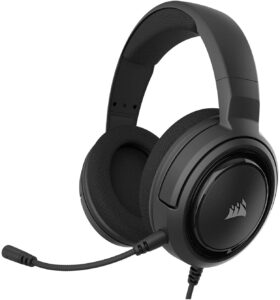
7. Corsair HS35 v2 — Best Comfort for Long Sessions
The Corsair HS35 v2 is the comfort pick. Its floating headband design (the headband floats freely above the earcups, distributing pressure automatically) is the most ergonomic on this list — there's no hotspot on top of your head even after hours of play. Soft fabric ear pads breathe better than leatherette and don't create the sweaty seal that kills marathon gaming sessions. Custom-tuned 50mm drivers cover the full frequency range cleanly, and the wide-frequency response means you hear everything from deep bass rumblings to crisp high-end detail.
Multiplatform connectivity via 3.5mm works everywhere without dongles. The flexible omnidirectional mic picks up voice reliably and adjusts easily — you can position it wherever your setup needs it. The HS35 v2 is the updated version of Corsair's long-running HS35 line, and the improvements show: better padding, cleaner cable routing, and improved driver tuning over the original.
For streaming setups where you're wearing a headset for 4-6 hours at a stretch, the comfort advantage here is real. The trade-off is that there's no spatial audio, no fancy surround system, and the mic quality is average rather than exceptional. It's an honest, well-made headset that prioritizes the basics — sound and comfort — and does both well.
Pros:
- Floating headband distributes pressure evenly — best comfort design here
- Soft fabric ear pads breathe well during long sessions
- Custom-tuned 50mm drivers with wide frequency response
- Universal 3.5mm works on every platform without adapters
- Flexible omnidirectional mic is easy to position
Cons:
- No virtual surround sound
- Mic quality is average — not exceptional for streaming or comms
- Design is basic — no standout visual features
What to Look For When Buying Gaming Headphones Under $50
The budget headset space has gotten competitive. Here are the four things that actually separate good picks from mediocre ones in 2026.
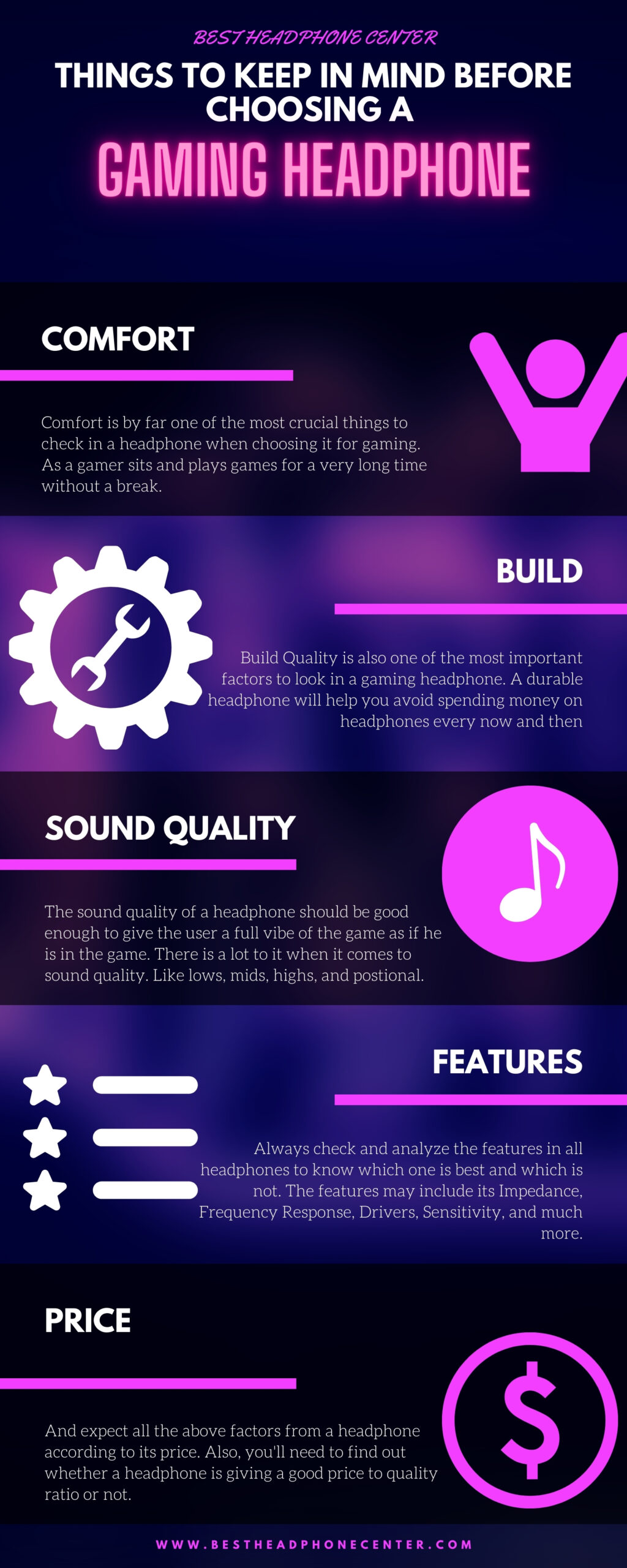
Driver Size and Sound Quality
Drivers (the speakers inside each earcup) are measured in millimeters. Bigger generally means more bass and a wider soundstage. Here's what to know:
- 50mm drivers — the standard for gaming headsets. Produce strong bass and detailed highs. Found in the HyperX Cloud Stinger 2, Razer BlackShark V2 X, Logitech G432, and Corsair HS35 v2.
- 40mm drivers — more common in ultra-budget headsets. Sound is lighter and less immersive. The Turtle Beach Recon 70 uses 40mm — good for voice chat, less ideal for audio immersion.
- Frequency response of 20Hz–20kHz covers the full range of human hearing. Most headsets on this list meet that spec.
According to Wikipedia's overview of headphone technology, frequency response consistency matters more than raw driver size for real-world audio quality — which is why the Razer BlackShark V2 X's TriForce driver design punches above its spec sheet.
Virtual Surround Sound — Is It Worth It?
Virtual surround sound (software that simulates multi-directional audio through two drivers) is a real advantage in competitive gaming. When it works well, you can hear whether footsteps are coming from your left, right, above, or below. When it's poorly implemented, it muddies the audio and makes everything sound hollow. Here's how to think about it:
- If you play competitive FPS (first-person shooter) games — CS:GO, Valorant, Call of Duty — prioritize a headset with quality surround sound. The HyperX Cloud Stinger 2 (DTS Headphone:X) and Logitech G432 (DTS Headphone:X 2.0) both deliver this on PC.
- If you game on console, most surround sound features won't work. Save your money and focus on driver quality and comfort instead.
- If you game on both PC and console, get a headset with good stereo quality (like the ASTRO A10 or Corsair HS35 v2) rather than paying a premium for surround features you can only use half the time.
Microphone Quality and Mute Design
At this price point, mic quality varies a lot. Here's what to look for:
- Detachable mic — the SteelSeries Arctis 1's ClearCast mic is the only detachable option here, and it's also the best-sounding. Detachable mics let you use the headset for music without a boom arm dangling in your face.
- Flip-to-mute — physical flip-up mute (Turtle Beach Recon 70, ASTRO A10, Logitech G432) is faster and more reliable than button-based mute. You can mute instantly mid-sentence without looking.
- Swivel-to-mute — the HyperX Cloud Stinger 2's swivel design is also fast but takes a bit of adjustment to get used to.
- Fixed mics that don't mute are the worst option — avoid headsets without any mute mechanism.
Platform Compatibility and Connection Type
Check your setup before buying. This matters more than most people realize:
- 3.5mm only — works everywhere with no setup. ASTRO A10, Turtle Beach Recon 70, SteelSeries Arctis 1, Corsair HS35 v2 all fall into this category. Best for multiplatform gamers.
- USB + 3.5mm — USB unlocks software features like surround sound on PC; 3.5mm for console. The HyperX Cloud Stinger 2 uses this approach. Best for PC-primary gamers who also use console.
- USB only — limits you to PC and potentially PS4/PS5. Check compatibility carefully before buying.
- If you switch between platforms regularly, 3.5mm universal compatibility is the safest choice.
Questions Answered
Is a $50 gaming headset good enough for competitive gaming?
Yes — in 2026, the best $50 headsets genuinely compete with mid-range options from a few years ago. The HyperX Cloud Stinger 2 and Razer BlackShark V2 X both offer spatial audio and 50mm drivers that give you real positional advantage in competitive FPS titles. You won't match a $150+ headset, but the gap has narrowed significantly. For casual and semi-competitive play, any of the top three picks on this list will serve you well.
What's the difference between 40mm and 50mm drivers?
Driver size (measured in millimeters) affects how much air the speaker can move. Larger 50mm drivers generally produce more bass extension and a wider soundstage than 40mm drivers. In practice, this means deeper, more immersive audio. The Turtle Beach Recon 70 uses 40mm drivers and sounds fine for voice chat and casual gaming — but if you want the full gaming audio experience, stick with 50mm options like the HyperX Cloud Stinger 2 or Corsair HS35 v2.
Does virtual surround sound actually help in gaming?
It depends on the game and the implementation. In competitive shooters like CS:GO or Valorant, well-implemented surround sound (like DTS Headphone:X) genuinely helps you locate enemies by sound. In single-player games, it adds immersion. But poorly implemented surround can actually make audio worse by muddying spatial cues. Stick with branded surround systems — DTS Headphone:X on the HyperX Cloud Stinger 2 and Logitech G432 are the two worth trusting on this list. For console gaming, you usually won't have access to PC-based surround software anyway.
Can I use these headsets on both PC and console?
All seven headsets on this list connect via 3.5mm, which means they work on PS5, PS4, Xbox Series X|S, Xbox One, Nintendo Switch, PC, and most mobile devices. The HyperX Cloud Stinger 2 also connects via USB for PC spatial audio features. The ones that rely on software for surround sound (Cloud Stinger 2, BlackShark V2 X, Logitech G432) deliver stereo only on console — which is still perfectly good, just not surround. If you switch platforms constantly, the ASTRO A10 or Turtle Beach Recon 70 are the cleanest cross-platform options.
Which headset has the best microphone under $50?
The SteelSeries Arctis 1 wins this category clearly. Its detachable ClearCast microphone is Discord-certified and uses a bidirectional pickup pattern that rejects background noise better than any fixed mic at this price. If microphone quality is your top priority — for streaming, team communication, or online calls — the Arctis 1 is the one to buy. The HyperX Cloud Stinger 2's swivel-to-mute mic is a solid second choice for convenience.
Should I buy a gaming headset or use regular headphones with a separate mic?
For most gamers, a dedicated gaming headset under $50 is the simpler and more practical choice. You get a built-in mic, gaming-tuned audio, and a single cable to manage. A separate pair of headphones plus a standalone mic will generally sound better but costs more and adds desktop clutter. If you're curious about how the two approaches compare in more detail, our guide on gaming headsets vs regular headphones breaks down exactly when each makes sense.
Buy on Walmart
- HyperX Cloud Stinger 2 – Gaming Headset, DTS Headphone:X Spa — Walmart Link
- Turtle Beach Recon 70 Multiplatform Gaming Headset for PS5, — Walmart Link
- ASTRO Gaming A10 Wired Gaming Headset, Lightweight and Damag — Walmart Link
- Logitech G432 Wired Gaming Headset, 7.1 Surround Sound, DTS — Walmart Link
- Razer BlackShark V2 X Gaming Headset: 7.1 Surround Sound - 5 — Walmart Link
- SteelSeries Arctis 1 Wired Gaming Headset – Detachable Clear — Walmart Link
- Corsair HS35 v2 Multiplatform Wired Gaming Headset – Flexibl — Walmart Link
Buy on eBay
- HyperX Cloud Stinger 2 – Gaming Headset, DTS Headphone:X Spa — eBay Link
- Turtle Beach Recon 70 Multiplatform Gaming Headset for PS5, — eBay Link
- ASTRO Gaming A10 Wired Gaming Headset, Lightweight and Damag — eBay Link
- Logitech G432 Wired Gaming Headset, 7.1 Surround Sound, DTS — eBay Link
- Razer BlackShark V2 X Gaming Headset: 7.1 Surround Sound - 5 — eBay Link
- SteelSeries Arctis 1 Wired Gaming Headset – Detachable Clear — eBay Link
- Corsair HS35 v2 Multiplatform Wired Gaming Headset – Flexibl — eBay Link
Next Steps
- Check current prices on Amazon — prices on budget headsets fluctuate frequently. Click through to the HyperX Cloud Stinger 2 or your top pick and compare today's price against the list above before buying.
- Confirm platform compatibility — verify your chosen headset connects correctly to your primary gaming setup. If you use Xbox, double-check 3.5mm controller port compatibility. If you're on PC, confirm whether you want USB for spatial audio.
- Read the full review for your top pick — if you're torn between the Razer BlackShark V2 X and the HyperX Cloud Stinger 2, dig into the detailed specs on each product page before committing.
- Compare against the $100 tier — if you're on the fence about budget options, our best gaming headphones under $100 list shows you exactly what extra money buys and whether the upgrade is worth it for your use case.
- Set your mic up correctly after purchase — a good headset mic sounds bad if your input levels aren't configured. After unboxing, check your platform's audio input settings and run a quick mic test in Discord or your game's audio menu before your first session.


About Simon B.
Simon here is an audiophile that loves to try out new audio equipment and loves to listen to different genres of music. Being an active student of Audio Electronics, He is more than capable of discussing different elements of headphones. A Powerful Music Can Change The Tone Of Your Heart, That Is The Real Power Of Music.
Get FREE Headset Gifts now. Or latest free Music Guide from our best collections.
Disable Ad block to get all the secrets. Once done, hit any button below