Picture this: a late-night tournament practice session ends with a headset cable catching on a chair leg, yanking the whole unit off a desk and onto a hard floor. Most gaming headsets at this price rattle from the impact or lose signal in one ear cup. The HyperX Cloud 2 gaming headset review starts exactly here — not with spec sheets, but with a durability question this headset has consistently answered for serious players. Browse any gaming hardware community and the Cloud 2 surfaces as a benchmark recommendation, a standing it holds based on sustained real-world performance. This in-depth breakdown is part of BestHeadphoneCenter's ongoing headset coverage.
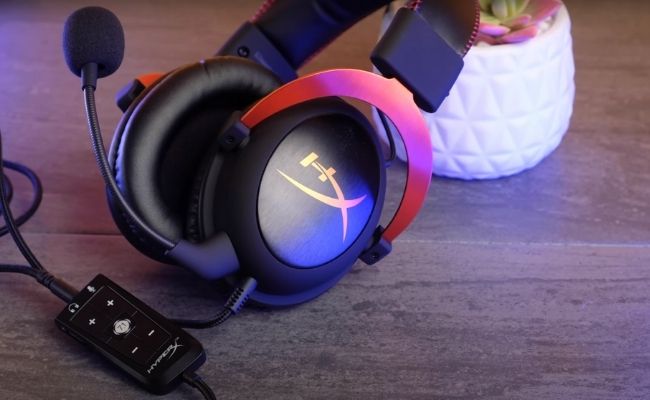
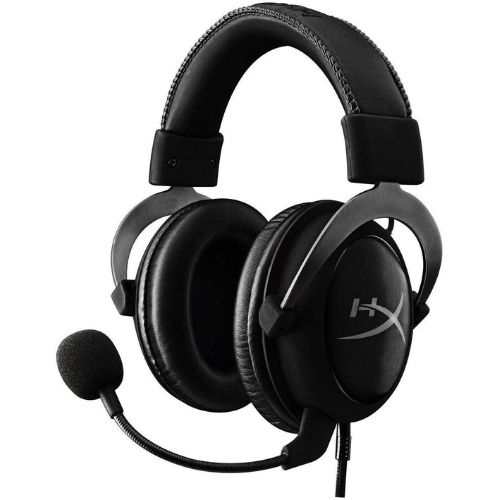
The Cloud 2 builds on the original HyperX Cloud's acoustic foundation — roots that trace back to a design collaboration with AKG, a company with decades of professional audio engineering heritage. The result is a closed-back wired headset with 53mm neodymium drivers, a detachable noise-canceling microphone, and a USB sound card dongle that enables virtual 7.1 surround on PC. It targets mid-range buyers who want reliable, day-in-day-out performance without the fragility common at lower price points.
This review covers first impressions, origins, build quality, sound performance, pricing, use-case fit, and competitive positioning. For anyone working through the broader gaming headset vs. headphones question, the Cloud 2 represents one of the most compelling arguments for a dedicated gaming headset format at its price tier.
Contents
- What the Cloud 2 Gets Right from the First Session
- Origins and Context Behind This HyperX Cloud 2 Gaming Headset Review
- Hardware Deep Dive: Build, Materials, and Key Components
- Sound Performance Across Gaming, Music, and Voice Chat
- Pricing and What Comes in the Box
- Casual Gamers vs. Competitive Players: Different Outcomes
- Strengths, Weaknesses, and Top Competitors
What the Cloud 2 Gets Right from the First Session
Out-of-the-Box Comfort
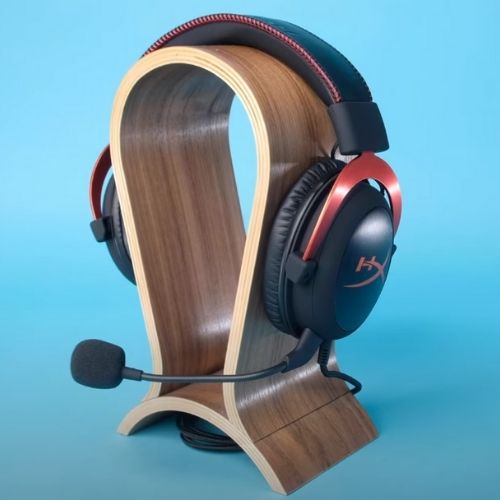
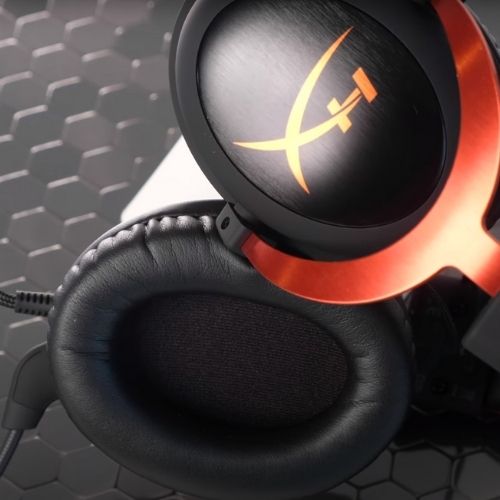
The first thing most users notice is the memory foam ear cushions. They are deep, wide, and covered in leatherette that does not create pressure hot spots even during extended sessions. The headband uses an aluminum frame with a padded underside — it distributes weight without pressing down on the top of the skull. Clamping force is firm but not uncomfortable for average head sizes. Most users settle in within a few minutes and stop noticing the headset entirely.
Pro Tip: The velour ear pad option included in the box runs noticeably cooler than leatherette — worth swapping for marathon sessions or warm environments.
Plug-and-Play Setup
Setup requires no drivers on any major platform. The 3.5mm cable handles stereo audio on consoles and mobile devices, while the USB sound card dongle connects to PC for virtual 7.1 surround. The inline control box on the sound card provides a hardware volume wheel and a microphone mute button — both tactile and responsive without requiring users to glance away from the screen. The whole process from unboxing to in-game audio takes under five minutes.
Origins and Context Behind This HyperX Cloud 2 Gaming Headset Review
From AKG Heritage to HyperX Identity
The HyperX Cloud series began as a gaming-oriented adaptation of the AKG K702 — an open-back studio reference headphone respected for precise imaging and neutral tonal response. Kingston's HyperX team closed the back, increased bass presence, and added gaming-specific hardware like a detachable boom microphone. The Cloud 2 built on this with larger 53mm drivers and the bundled USB sound card.
This heritage matters. It explains why the Cloud 2's audio profile diverges from purpose-built gaming headsets. Where most gaming headsets use smaller drivers tuned for cinematic boom, the Cloud 2 prioritizes imaging accuracy — the ability to resolve sounds precisely in three-dimensional space. That distinction has meaningful consequences for competitive gaming and is recognizable to audiophile-adjacent users who have spent time with reference-grade headphones.
How the Cloud 2 Improved on Its Predecessor
Three changes separated the Cloud 2 from the original. Driver size grew from 40mm to 53mm. The microphone gained a noise-canceling element for cleaner voice capture in shared environments. The USB sound card moved virtual surround processing from software to hardware DSP, reducing CPU load and improving consistency across games that don't natively support surround formats. The chassis remained nearly identical — preserving the build quality reputation that made the original successful.
Hardware Deep Dive: Build, Materials, and Key Components
Headband and Ear Cup Construction
The headband frame is aircraft-grade aluminum. It flexes under pressure rather than snapping — a critical design choice for a headset that will spend years being picked up, adjusted, and occasionally dropped. The ear cups use dense plastic with reinforced pivot joints, which is precisely where lesser headsets crack after sustained daily use. The cable exits from a single point on the left ear cup and terminates in a 3.5mm connector.
The dual ear pad system is one of the Cloud 2's most practical hardware decisions. Leatherette provides better passive noise isolation and tighter bass response. Velour breathes better during long sessions. Both attach and detach cleanly via a quarter-turn mechanism — no tools, no adhesive, and no effort.
The USB Sound Card Dongle
The USB sound card processes virtual 7.1 surround through onboard DSP rather than software, keeping the processing load off the gaming system. Its analog volume wheel and mute button remain functional even when system audio settings conflict — a small but practically important detail. On consoles, the 3.5mm jack bypasses the sound card entirely, delivering stereo audio through the controller headphone output with zero additional configuration.
Warning: Virtual 7.1 surround through the USB sound card can introduce slight audio latency in some PC configurations — users in latency-sensitive competitive titles should verify stereo mode performance before committing to surround.
Sound Performance Across Gaming, Music, and Voice Chat
Gaming Audio and Virtual Surround
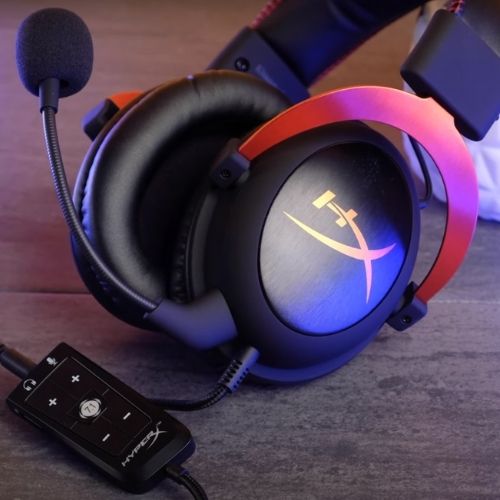
The 53mm neodymium drivers produce a V-shaped sound signature — elevated bass and treble with a slightly recessed midrange. In practice, this means impactful explosion sounds and crisp gunshot transients without muddying dialogue. Footstep detection in FPS titles localizes accurately in the lateral plane, though precise rear positioning in full surround mode varies with source material quality. Frequency response spans 15Hz to 25kHz, with the low end carrying genuine weight without bleeding into the midrange.
Music, Movies, and Microphone Clarity
For music, the V-shaped tuning suits hip-hop, electronic, and rock well. Classical and jazz reveal the recessed midrange more clearly — the presence of acoustic instruments at close range is slightly diminished compared to a flat-response headphone. Movie dialogue remains clean; the treble emphasis aids consonant separation without introducing harsh sibilance in most content.
The detachable noise-canceling microphone is a genuine strength. It filters keyboard noise and ambient room sound effectively, delivering clean voice capture for Discord and in-game chat. The HyperX community has documented an occasional quiet mic output issue — reliably resolved by verifying input levels in Windows Sound Settings, as noted in the Reddit thread above.
Pricing and What Comes in the Box
Where It Sits in the Market
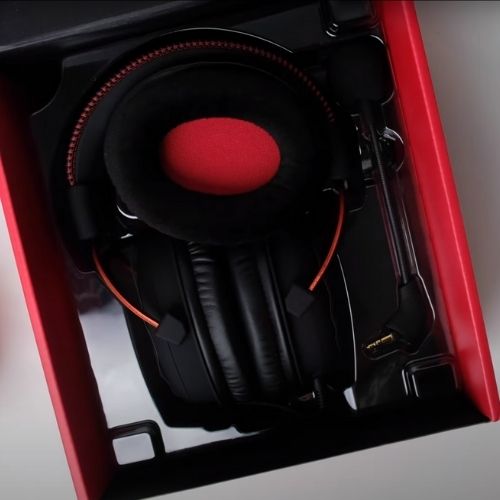
The Cloud 2 occupies the $80–$100 range where competition concentrates. It sits above budget options like the Razer Kraken X while undercutting premium wireless headsets by a substantial margin. For buyers who prioritize wired reliability and don't need wireless convenience, this placement delivers strong value per dollar. The best gaming headsets under $200 roundup covers how the Cloud 2 stacks up against the full competitive field at this tier.
| Specification | HyperX Cloud 2 |
|---|---|
| Driver Size | 53mm neodymium |
| Frequency Response | 15Hz – 25kHz |
| Impedance | 60 Ohm |
| Microphone Frequency Response | 50Hz – 18kHz |
| Cable Length | 1m + 2m extension |
| Connection | 3.5mm / USB (via dongle) |
| Weight | 320g |
| Surround Sound | Virtual 7.1 (USB sound card) |
| Platform Compatibility | PC, PS4/PS5, Xbox, Mobile |
Accessories and Bundle Value
The in-box accessory set is more complete than most competitors provide at this price:
- Detachable noise-canceling boom microphone
- USB sound card with hardware volume wheel and mute button
- 1m braided cable + 2m extension cable
- Leatherette ear pads (pre-installed)
- Velour ear pads (swappable)
- Carrying pouch
The dual ear pad inclusion alone justifies a portion of the premium over budget alternatives that ship with a single, non-swappable pad set. Replacement pads are also widely available and attach in under two minutes.
Casual Gamers vs. Competitive Players: Different Outcomes
For Everyday Gamers
For users who game several hours a week across a range of titles — RPGs, open-world games, multiplayer shooters — the Cloud 2 delivers a broadly satisfying experience without adjustment. The V-shaped tuning makes most content immediately enjoyable. Comfort holds through a standard session. The microphone performs cleanly for voice chat without requiring additional hardware or software tuning.
The closed-back design provides sufficient passive isolation to block moderate ambient noise — practical in shared households or apartments where gaming competes with background sound. The wired connection eliminates battery anxiety entirely, which proves more valuable than it sounds once the alternative is a mid-session battery warning during a critical raid.
For Competitive and Streaming Use
Competitive players in FPS titles benefit from the accurate lateral imaging. Footstep and reload cues localize reliably in the horizontal plane. Most serious competitive players run stereo mode for tighter imaging rather than virtual surround, which can spread the soundstage in ways that obscure precise directional cues. For streamers, the noise-canceling microphone handles audience monitoring competently without sounding over-processed. Streamers who eventually prioritize broadcast-grade voice quality will move to a dedicated condenser setup, but for dual-purposing a single headset, the Cloud 2 handles the role well. The JBL Quantum 400 vs HyperX Cloud 2 comparison breaks down how these two mid-range options split the competitive and casual use cases differently.
Strengths, Weaknesses, and Top Competitors
What the Cloud 2 Does Best
- Build quality — aluminum frame and reinforced pivots outlast plastic-frame competitors at the same price point
- Comfort — memory foam cushions and dual ear pad options hold up through extended sessions
- Sound imaging — 53mm drivers with AKG-derived acoustic design produce accurate positional audio in competitive titles
- Bundle value — USB sound card, dual pad sets, extension cable, and carrying pouch all included
- Platform versatility — 3.5mm compatibility covers consoles, PC, and mobile without adapters
Pro Insight: The aluminum headband is one of the few genuine differentiators in the $80–$100 bracket — it is the first feature worth checking when comparing this headset against same-price plastic-frame alternatives.
Where It Falls Short
- No wireless option — cable management matters in multi-device or multi-monitor setups
- Microphone requires the USB sound card dongle for standalone noise-canceling input on PC
- Virtual 7.1 processing quality varies across games — stereo remains preferable for competitive play
- Leatherette pads generate heat during extended sessions in warm environments
Main Competitors at This Price Point
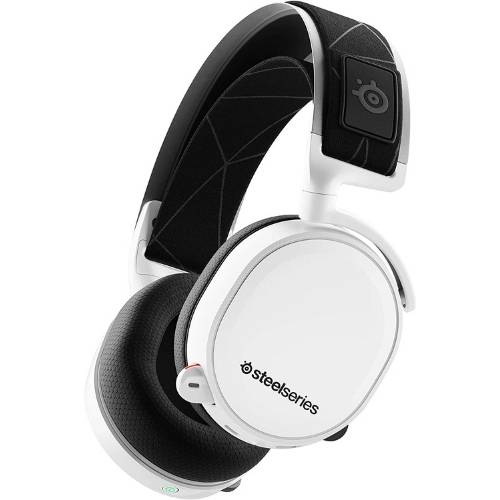
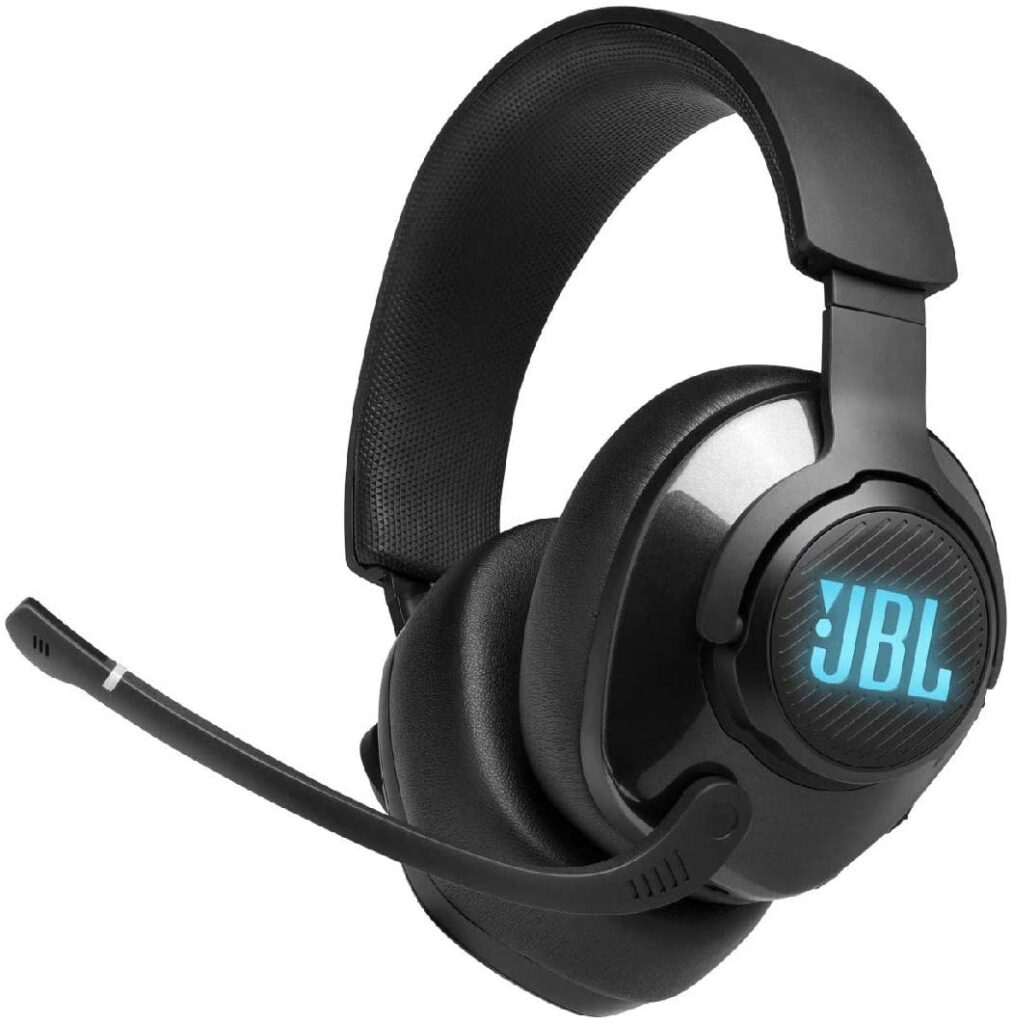
The SteelSeries Arctis 7 adds wireless at a higher price point while trading some structural robustness. The JBL Quantum 400 offers USB-C connectivity and QuantumSurround processing with a different tonal character. Both are credible alternatives depending on whether wireless or a specific audio signature is a priority. For the buyer who values wired reliability, long-term build durability, and a complete bundle without paying for wireless hardware they may not use, the Cloud 2 holds its position decisively in this bracket.
Frequently Asked Questions
Is the HyperX Cloud 2 compatible with PS4 and PS5?
Yes. The Cloud 2 connects via 3.5mm directly to the DualShock 4 and DualSense controllers, delivering stereo audio without any additional setup. The USB sound card is PC-only for virtual surround processing, but the headset performs reliably on PlayStation platforms in stereo mode with no configuration required.
Does the HyperX Cloud 2 require drivers to install?
No drivers are required for basic operation on any major platform. The USB sound card is fully plug-and-play on Windows, macOS, and Linux. For full virtual 7.1 functionality and advanced microphone tuning, HyperX's NGENUITY software is available on PC but is entirely optional — the headset functions completely without it.
How long does the HyperX Cloud 2 last with regular daily use?
The aluminum frame and reinforced ear cup pivots hold up well over multiple years of daily use. The leatherette ear pads typically show wear after 12–18 months of heavy use, but replacement pads are widely available and swap in under two minutes using the quarter-turn mechanism — no tools required.
Next Steps
- Confirm platform compatibility — verify whether the primary gaming setup uses 3.5mm (console or mobile) or USB (PC) before purchasing, since both connection paths are covered but the virtual surround feature is PC-exclusive.
- Test both ear pad types in the first week — swap from leatherette to velour and note which option holds up better for typical session lengths and room temperature.
- Configure the USB sound card input level — open Windows Sound Settings on first use and set the microphone input level to 80–90% to avoid the quiet mic output that some users encounter with default settings.
- Evaluate the competition side by side — review the best gaming headsets under $200 for a complete picture of what else is available in this price range before committing.
- Plan for long-term pad maintenance — budget for a replacement ear pad set after 12–18 months of heavy use to extend the headset's lifespan without replacing the whole unit.


About Simon B.
Simon here is an audiophile that loves to try out new audio equipment and loves to listen to different genres of music. Being an active student of Audio Electronics, He is more than capable of discussing different elements of headphones. A Powerful Music Can Change The Tone Of Your Heart, That Is The Real Power Of Music.
Get FREE Headset Gifts now. Or latest free Music Guide from our best collections.
Disable Ad block to get all the secrets. Once done, hit any button below